We have released ShellEasy, an SSH and SFTP client for macOS, Windows and Linux. It brings into one window the things people who work on servers do every day: open sessions, move files, reach an internal service. The desktop version is free; the mobile app is coming.
1. Why we built it
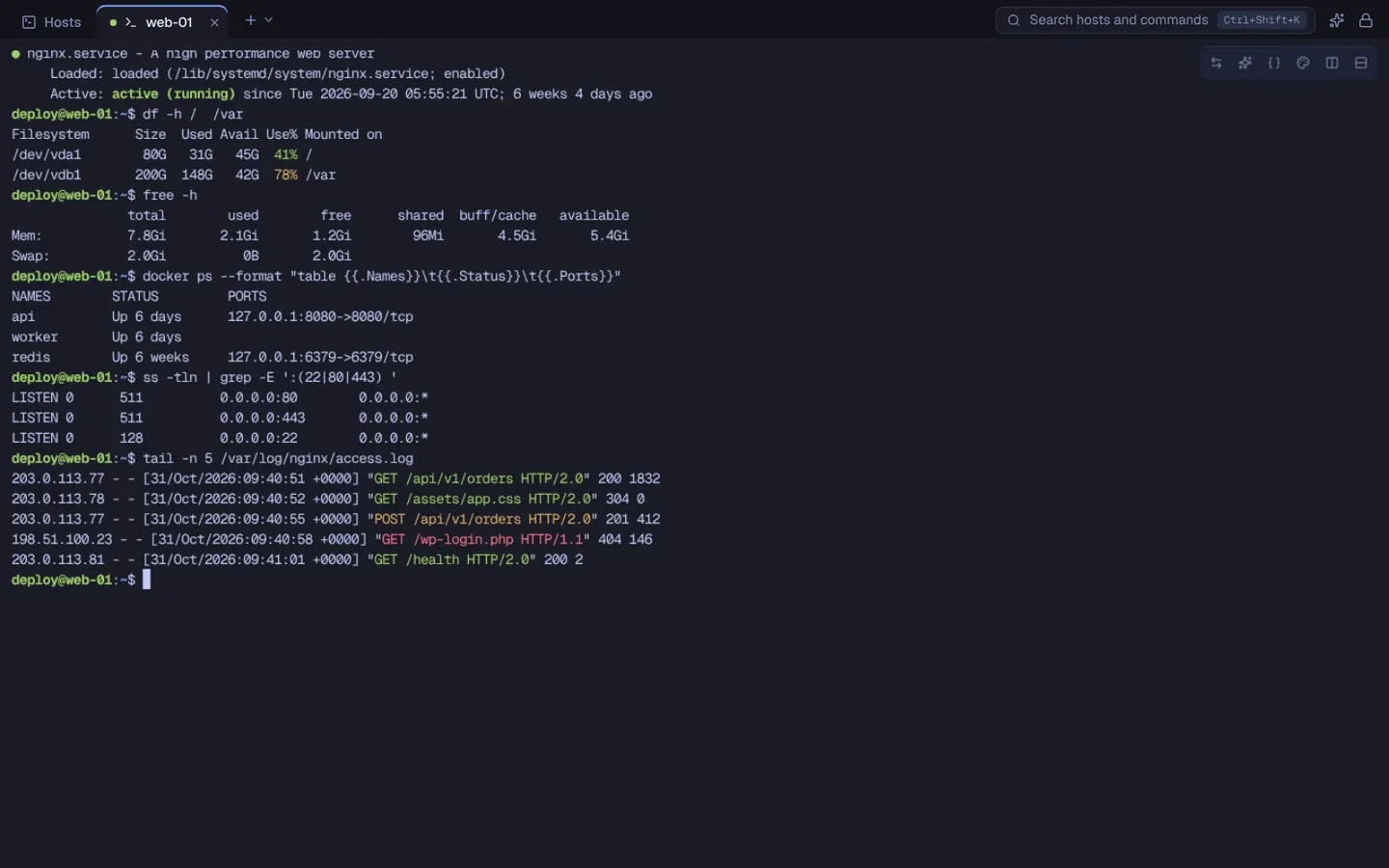
Working on a server often means keeping several programs open: a terminal for commands, a client for files, a list of hosts somewhere and the tunnel command lines in a notes file. ShellEasy puts everything in the same workspace, with one basic rule: your data stays on your computer.
2. What it does
- SSH sessions in tabs and side-by-side panels, with 13 color schemes, also per host, to tell production from staging at a glance.
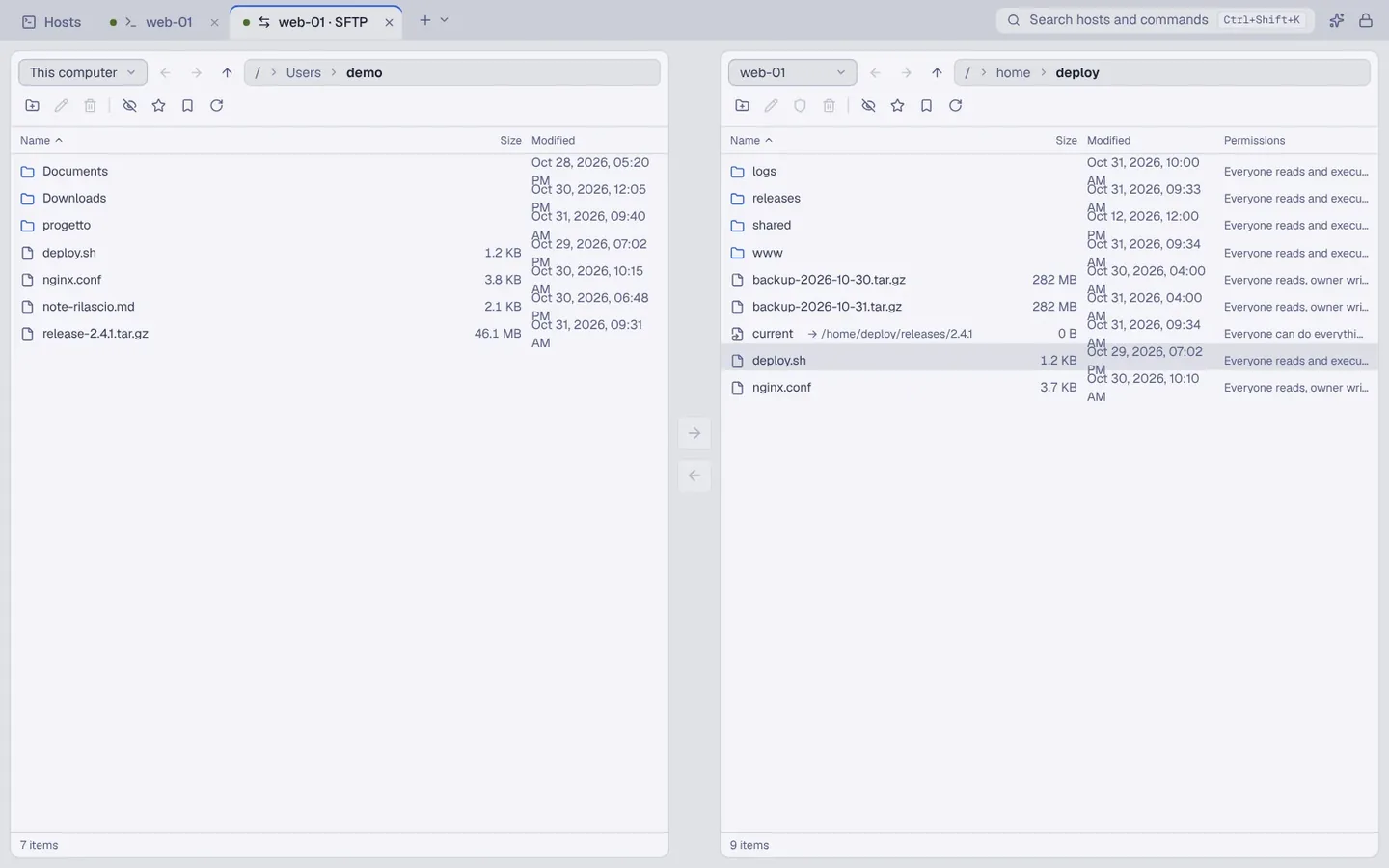
- Two-pane SFTP: your computer and the server side by side, drag-and-drop transfers, a queue with pause and resume and a single comparison to settle conflicts.
- Tunnels: local and remote port forwarding and a SOCKS5 proxy, with live status.
- Snippets with parameters for the commands you repeat often, and a serial console for routers, switches and boards.
- Local AI assistant, off by default: if you connect it to Ollama, LM Studio or llama.cpp on your computer, it shows the text before every send and never runs a suggested command by itself.
3. Your data stays on your computer
You don't need an APDSoftware account. Hosts, folders, credentials and keys live in an encrypted vault on your computer, protected by a Master Password that is never stored and cannot be recovered. This version sends no telemetry in the app. To move your data to another computer you export an encrypted .shelleasy file and import it: there is no automatic cloud sync.
4. Where to get it, and where we are
ShellEasy 0.1.6 is available for macOS (Apple Silicon and Intel, signed and notarized), Windows (from the Microsoft Store) and Linux (.deb package for Ubuntu 24.04 or later and Debian 13). It is the current public version and some checks are still open, starting with the external review of the part that stores credentials: you'll find them listed on the “Protections and limits” page of shelleasy.app. The mobile app is coming soon; we publish updates on the product's site.